The product

Northward is a small set of pages that each do one job. Here they are in the order a day uses them. Every screen is the real app, running on sample data.

Journal

A plan in the morning, a look back at night.

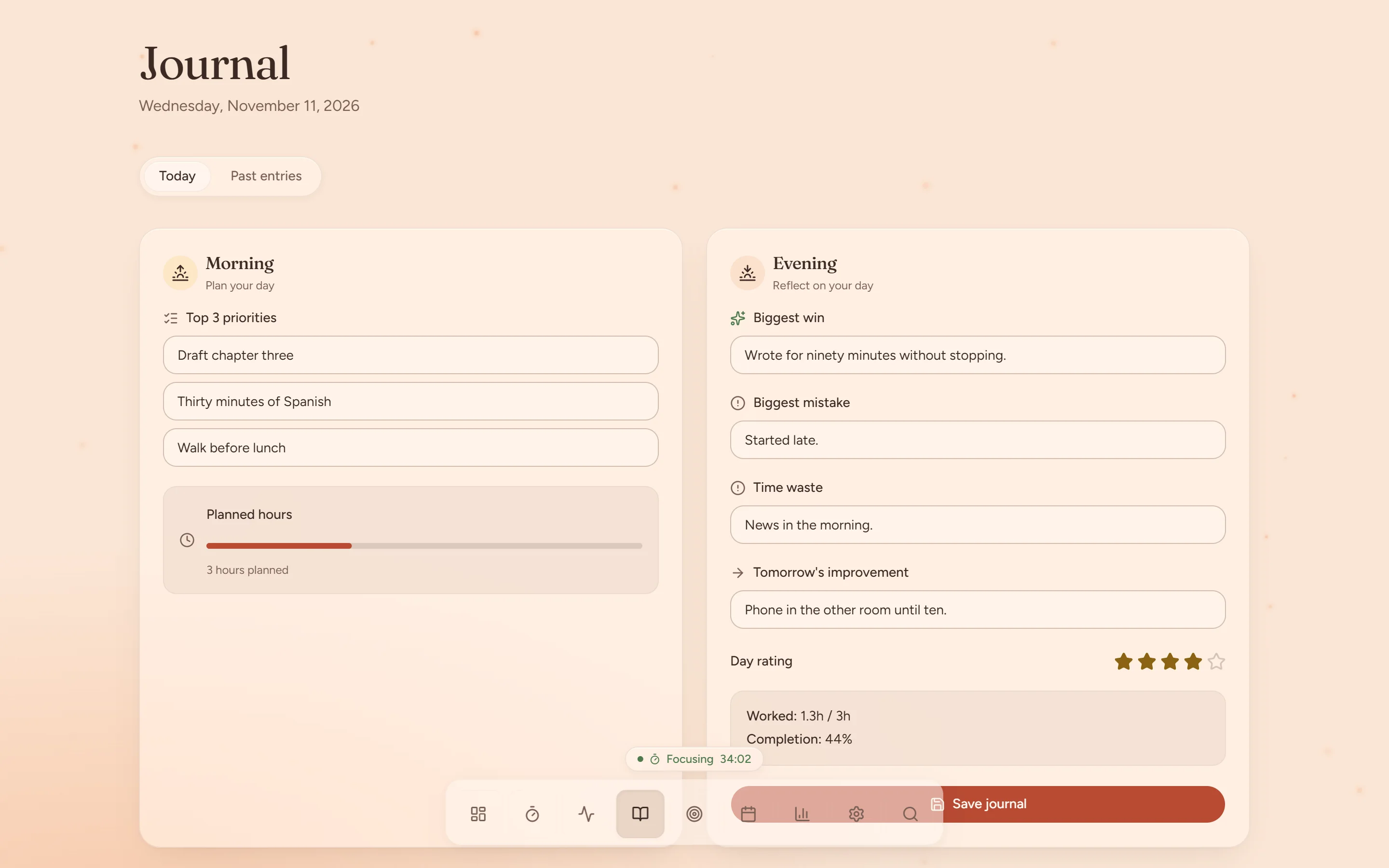
One page with two halves. The morning half takes a minute. The evening half asks four short questions and a rating.

  • Top three priorities and planned hours
  • Biggest win, biggest mistake, time waste and tomorrow's improvement
  • A star rating for the day
  • Past entries, one tab away
The Journal page: three morning priorities and planned hours on the left, an evening reflection and day rating on the right.

Dashboard

What are you doing now, and what is next?

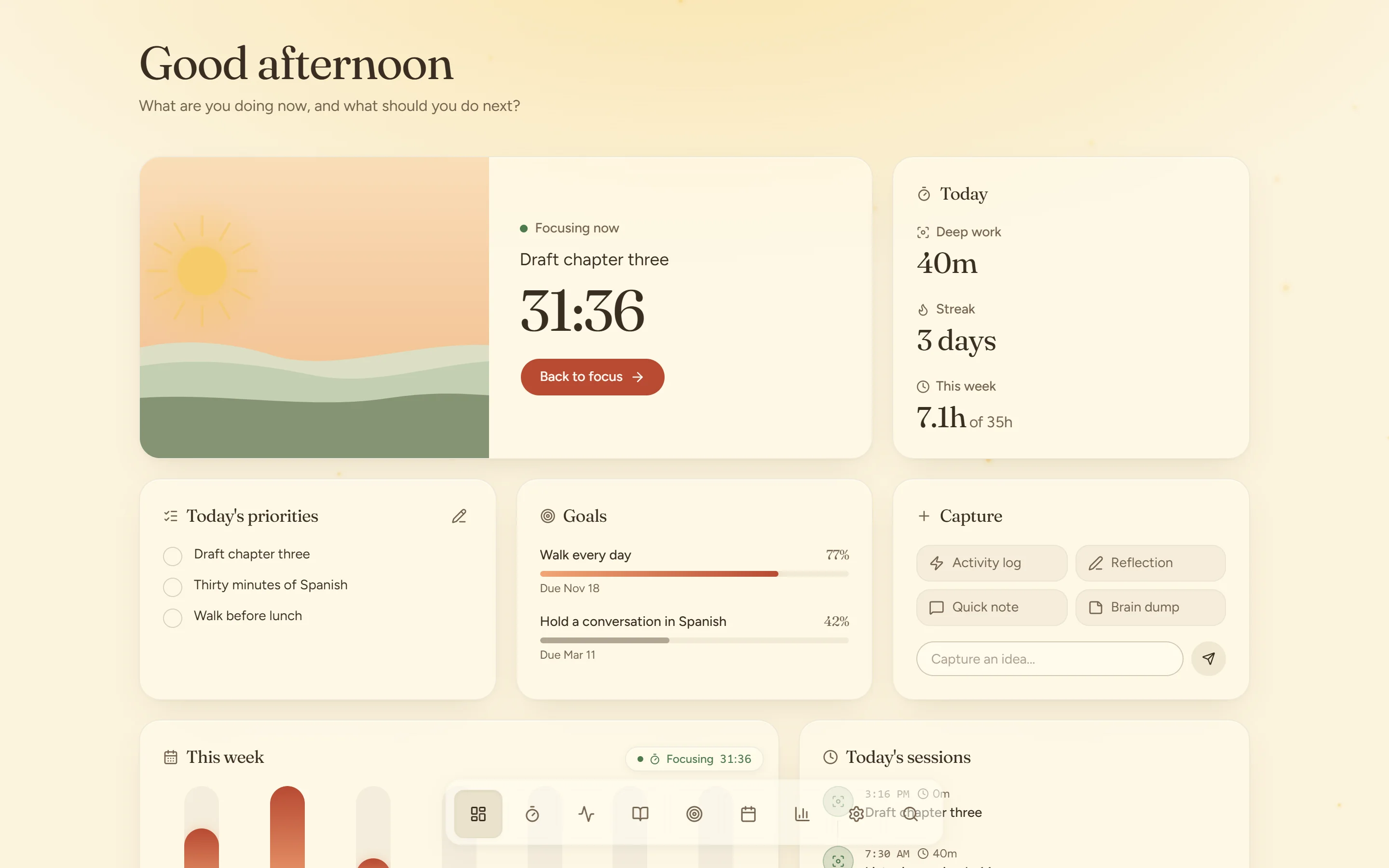
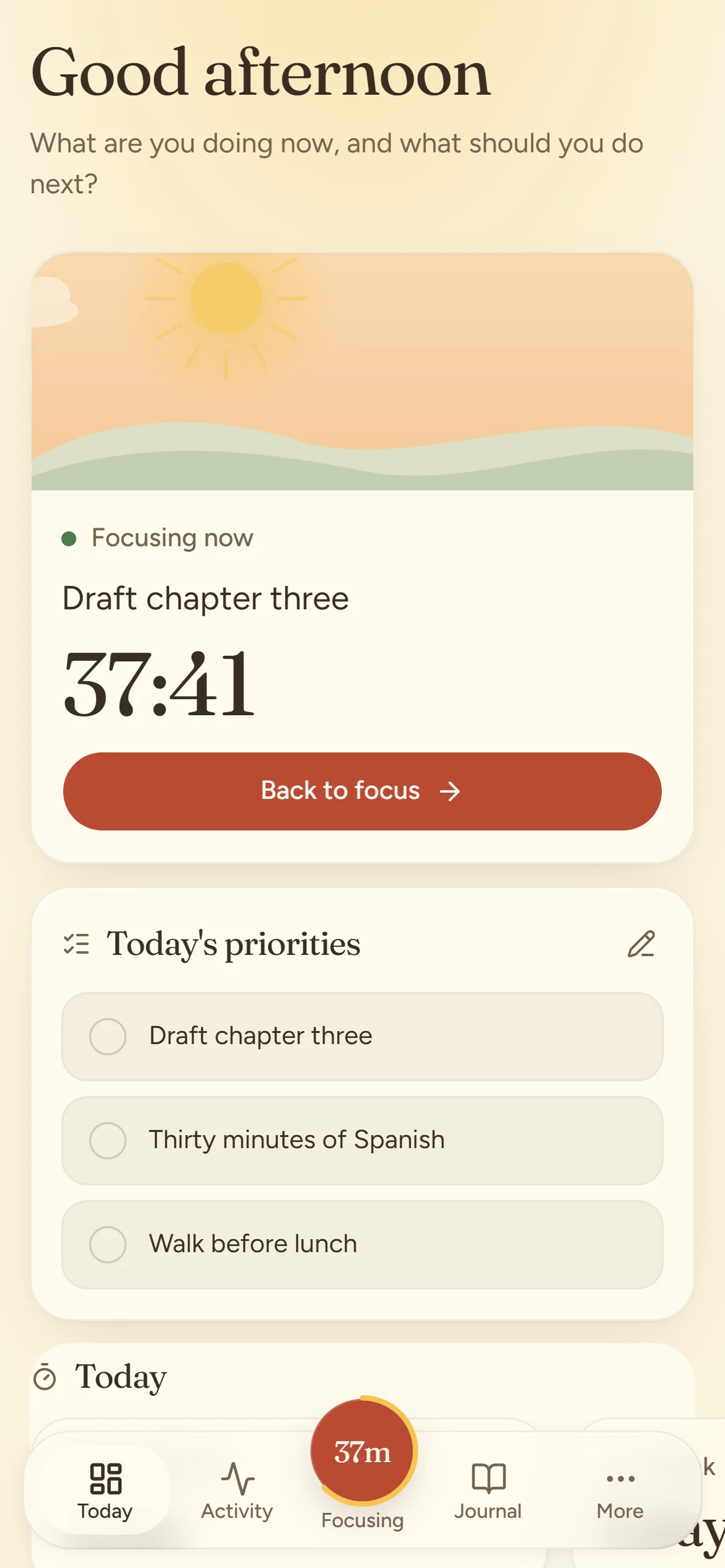
The dashboard answers those two questions and little else. A running session sits at the top with its scene and timer.

  • Today's deep work, your streak and the week so far
  • This morning's priorities, ready to tick off
  • Goals with their progress
  • Capture: activity log, reflection, quick note or brain dump
The Northward dashboard at midday: a focus session in progress, today's priorities, goals and this week's hours.

Focus

A timer you can rest your eyes on.

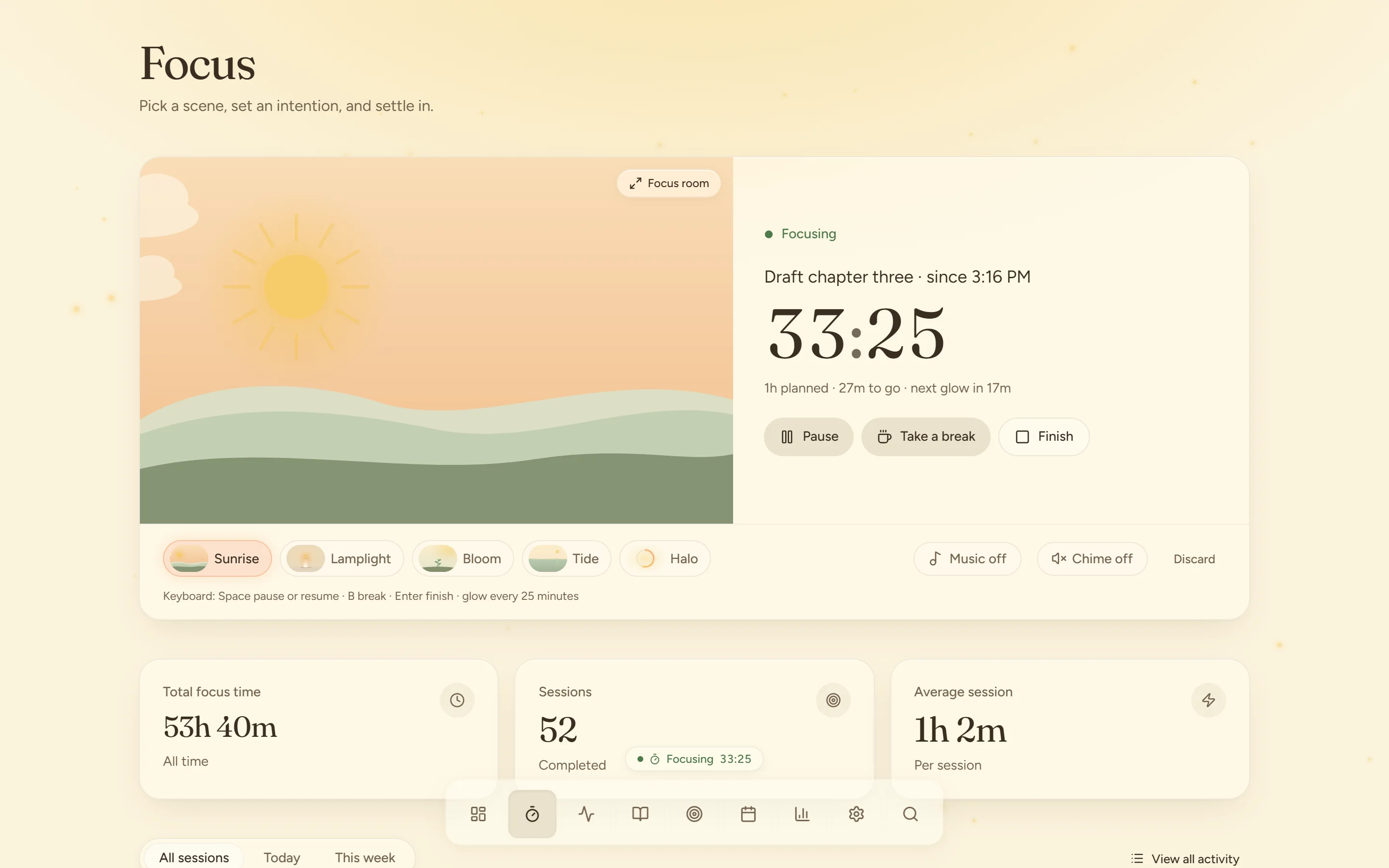
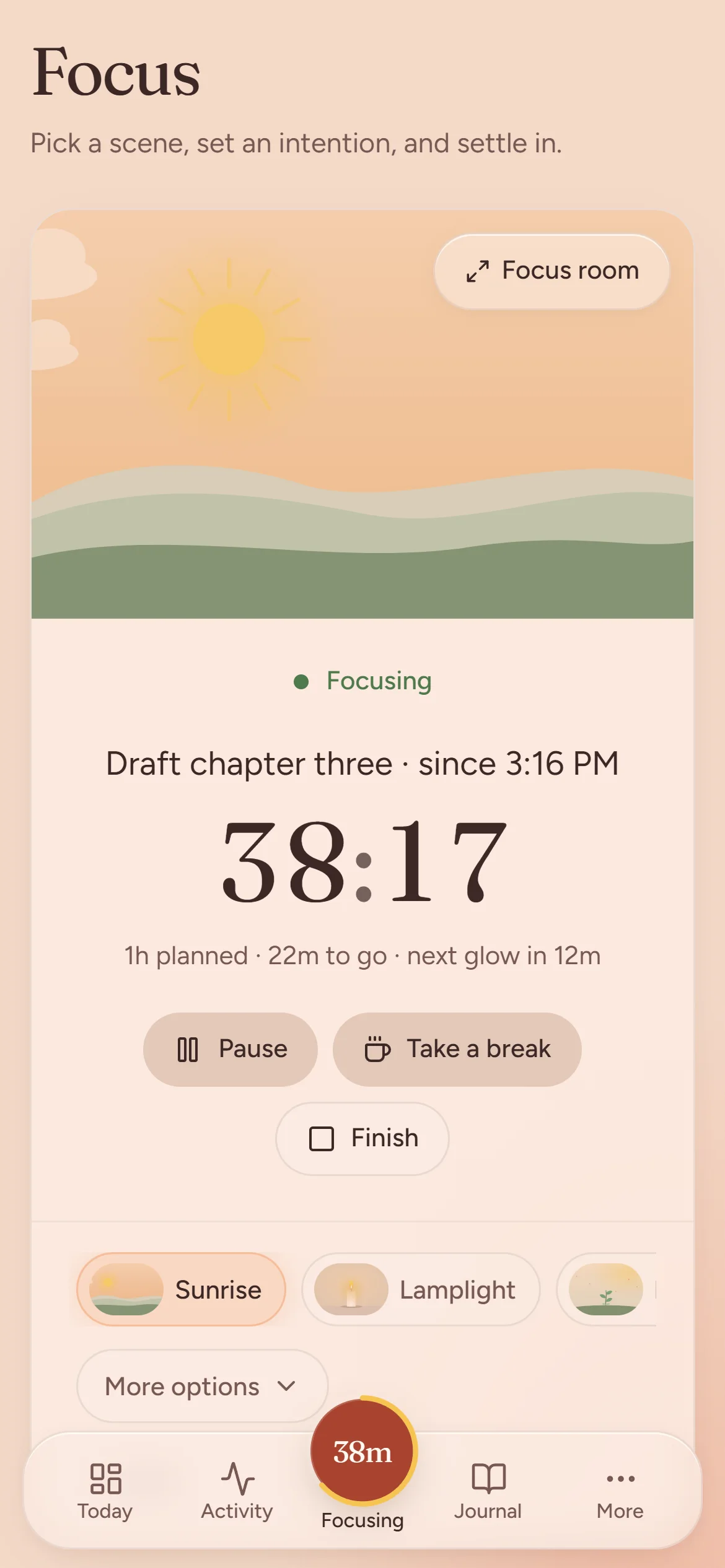
Each session plays out as a small scene that moves with your progress. Open the Focus room to give it the whole screen.

  • Five scenes: Sunrise, Lamplight, Bloom, Tide and Halo
  • A planned length, or open-ended
  • Pause, take a break or finish; breaks do not count as focus time
  • A soft glow every 25 minutes, with optional music and chime
  • Keyboard: Space to pause, B for a break, Enter to finish
The Focus page: the Sunrise scene beside a running timer, with scene, music and chime controls.

Activity

A timeline of what actually happened.

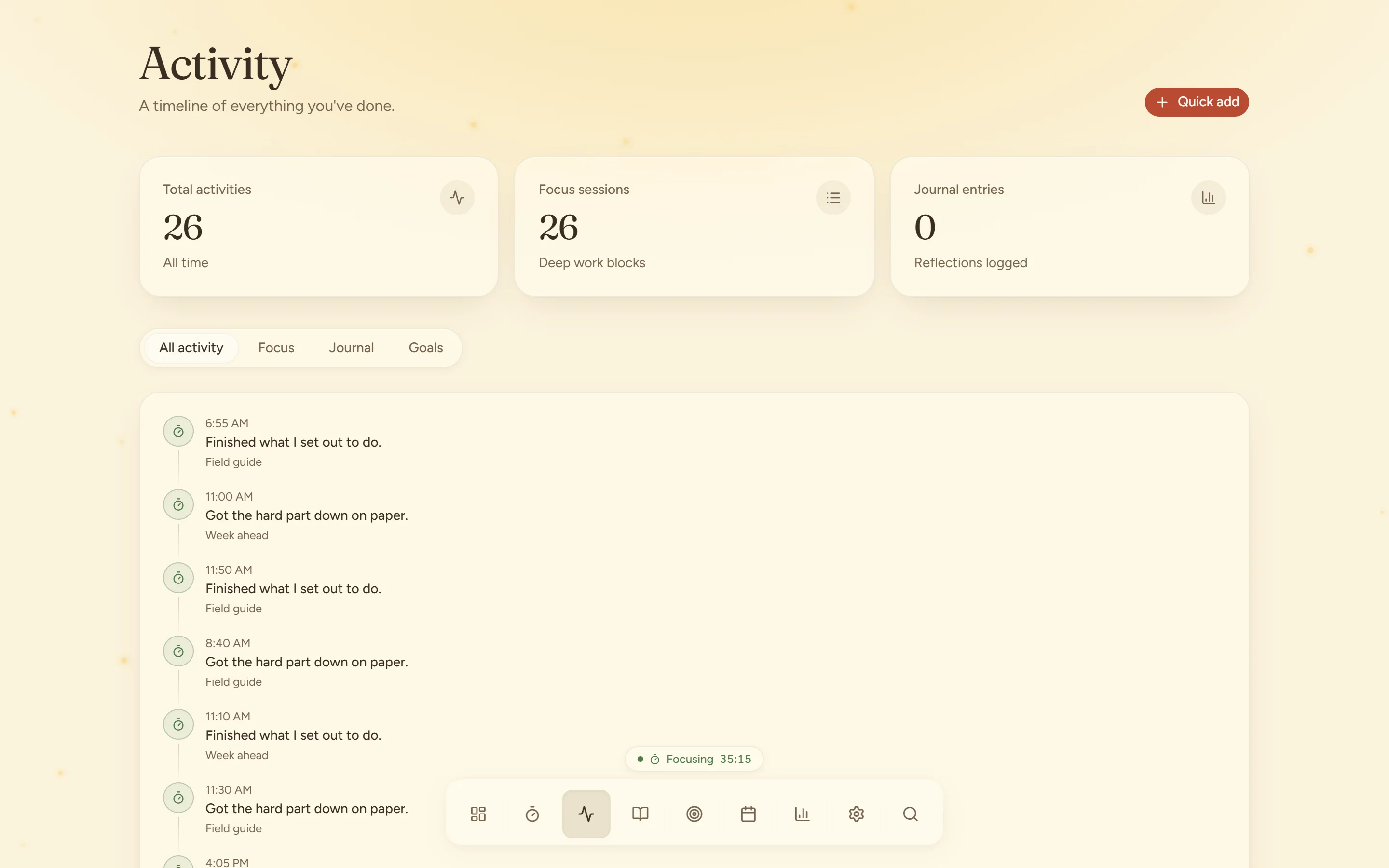
After a session, note what you did and what comes next. The timeline keeps it, so tomorrow starts where today stopped.

  • What happened, the next step, a problem, an idea
  • Energy and distraction for each entry
  • Filter by focus, journal or goals
  • Quick add from anywhere on the page
The Activity page: a timeline of notes logged after focus sessions.

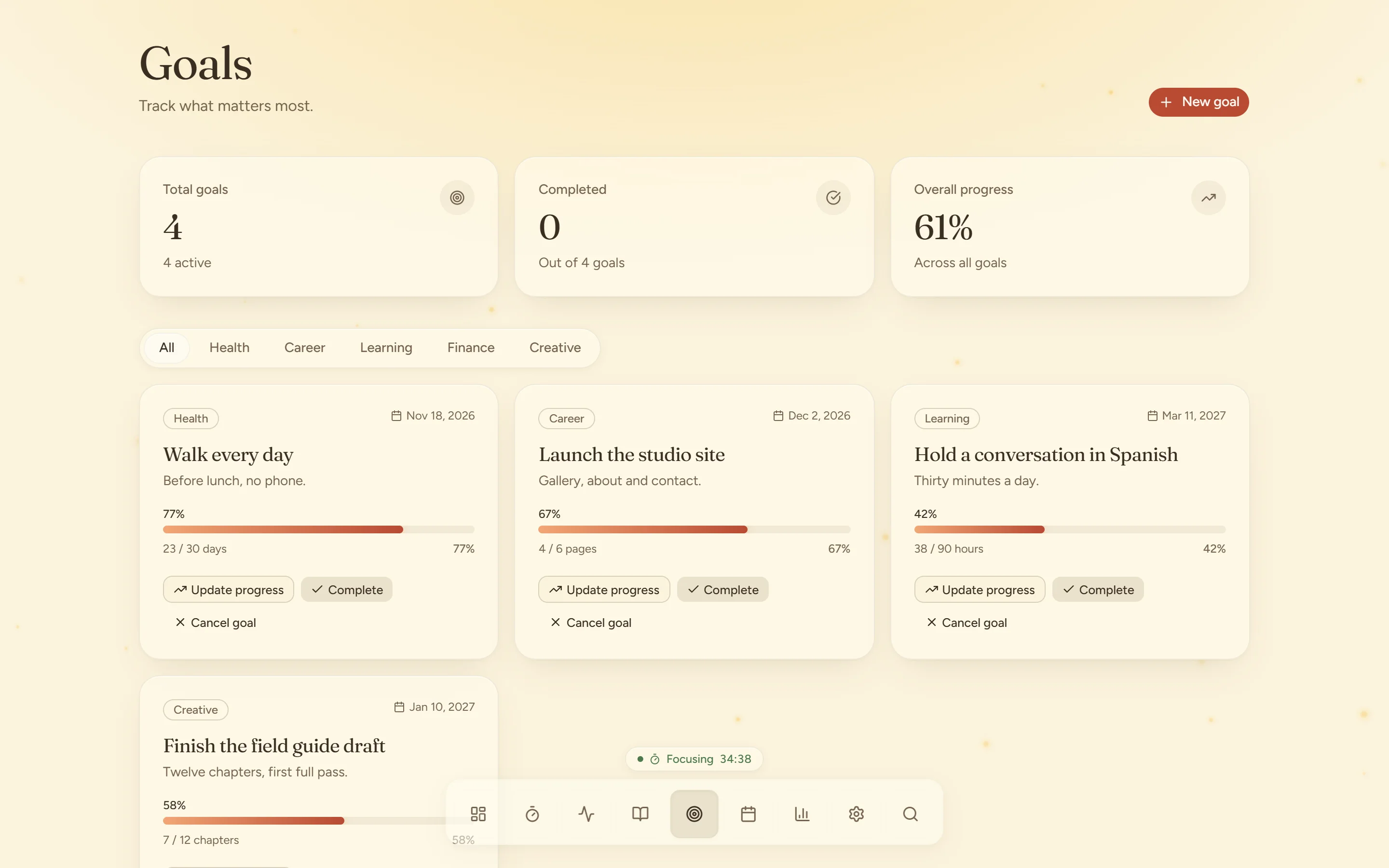
Goals

Goals you can count.

A goal has a target, a unit and a date. Progress shows as a bar of light that fills as you move.

  • Targets in your own units: chapters, hours, pages, days
  • A deadline for each goal
  • Categories for health, career, learning, finance, creative and social
  • Your goals also show on the dashboard
The Goals page with progress bars for each goal.

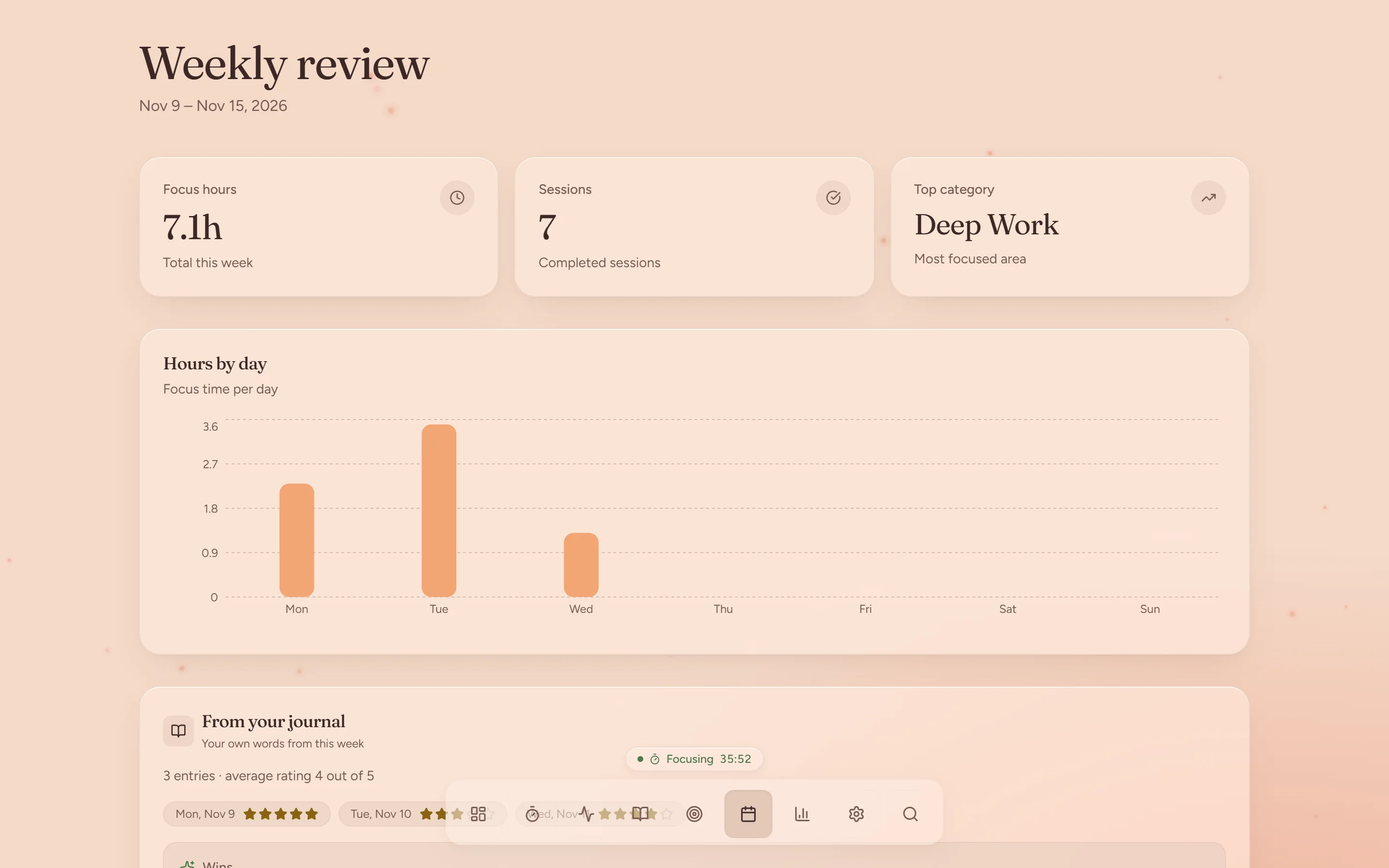
Weekly review

The week on one page.

No setup and no report to build. Open it on Sunday evening and read.

  • Focus hours, sessions and your top area of work
  • Hours by day, as a chart
  • Your journal entries from the week, in your own words
The Weekly review at dusk: focus hours, sessions, top category and a chart of hours by day.

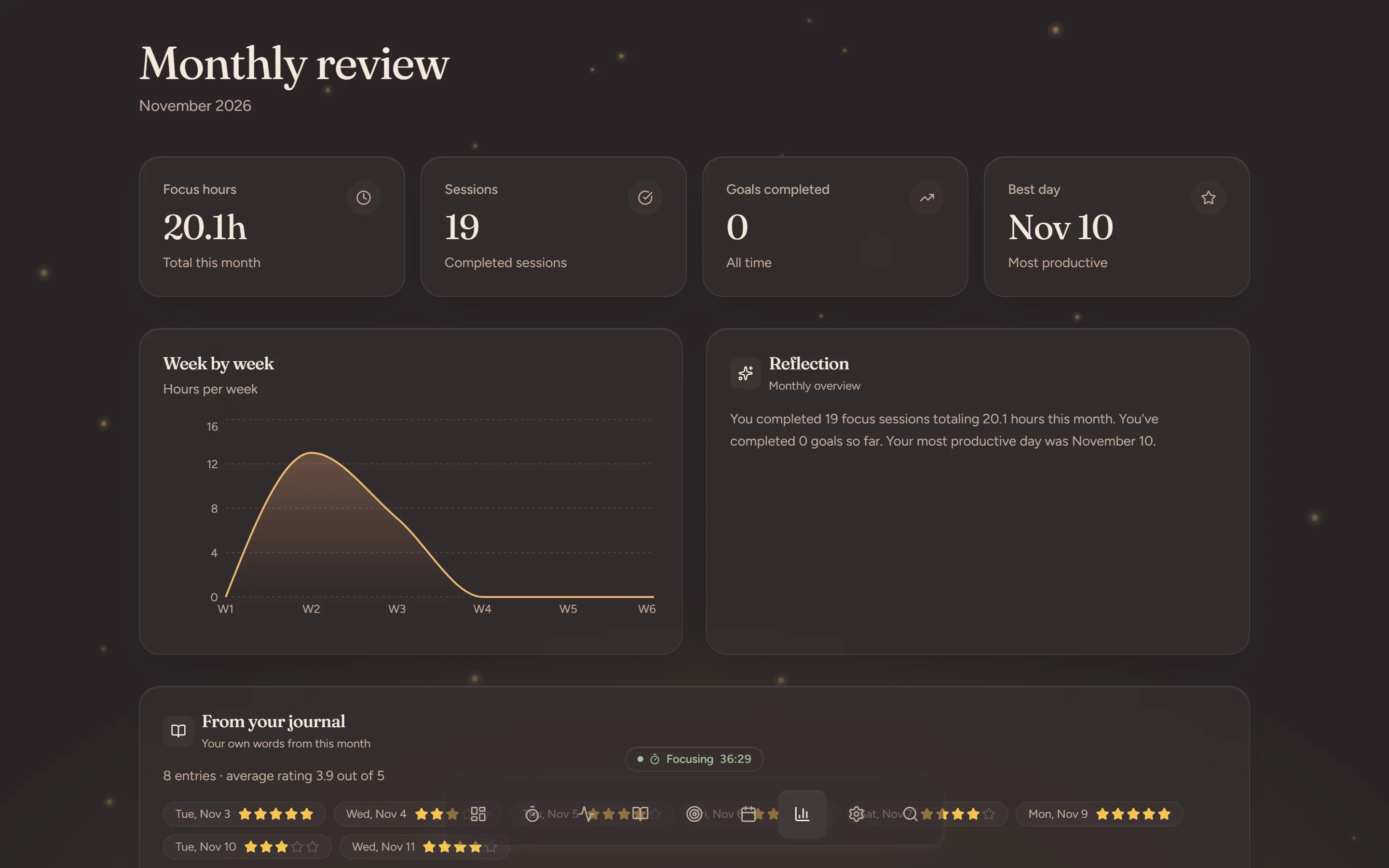
Monthly review

Then the month.

The longer view: how the weeks compare, and which day went best.

  • Focus hours and sessions for the month
  • Goals completed and your best day
  • Week by week, as a chart
  • A written summary and the month's journal ratings
The Monthly review at night: focus hours, sessions, best day and a week-by-week chart.

Focus scenes

Scroll to let an hour pass

03:00

  • Sunrise

    A sun climbs over the horizon as you focus.

  • Lamplight

    A candle burns slowly down.

  • Bloom

    A sprout grows a leaf every 10 minutes.

  • Tide

    Calm water rises with your progress.

  • Halo

    A quiet ring of light.

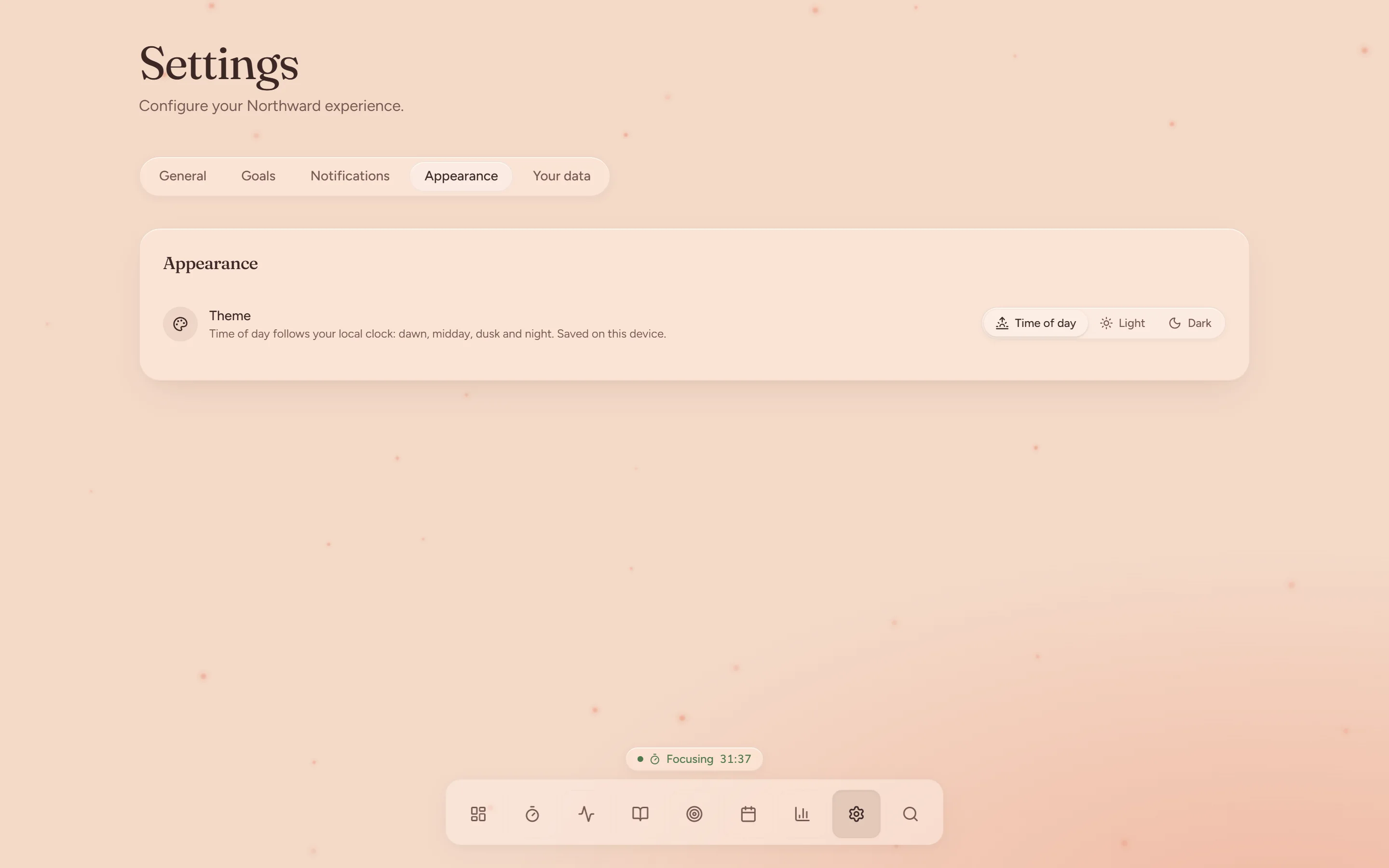
Time-of-day theme

Northward has four palettes: dawn, day, dusk and night. It moves between them by your local time, and progress is always shown as light. Try them here.

The Settings page at dusk.
The dashboard on a phone.
The Focus page on a phone at dusk.

On your phone

The same pages on a phone, laid out for one thumb. Install it from the browser and it opens like any other app.

Make an account and plan your first three things.